Revise Today & spaced revision
Revise Today is Dooit's daily recall queue — one screen that gathers everything worth a second look: study topics due for revision, MCQs you got wrong, and your latest saved articles and answers. This guide shows how the queue is built and how spaced repetition decides when each topic comes back.
Open your revision queue
- On the Home tab, scroll the quick-action cards sideways.
- Tap the card titled Revise Today — its subtitle reads Clear due topics, mistakes, and saved notes.
- The REVISE TODAY screen opens. The summary card at the top shows your total revision items, with four small counters — topics, mistakes, CA and Q&A.
Two more ways in: on the Plan tab, a Revise Today card below today's tasks shows how many items are waiting — tap OPEN. And tapping START on any plan task of the Revision type brings you straight here. Pull down on the screen any time to refresh the queue.
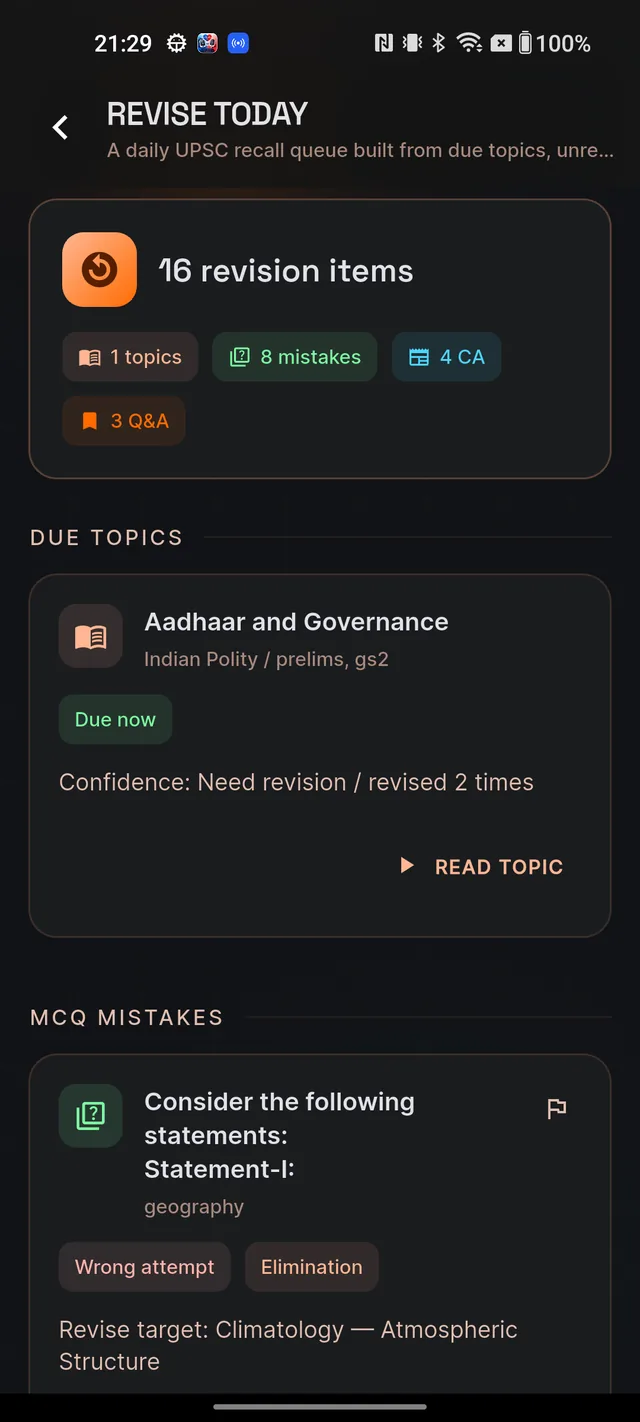
The four sources and their buttons
The queue is built from exactly four places. Each section appears only when it has something for you, in this order:
DUE TOPICS
Up to 12 study topics you marked complete in Learn whose revision date has arrived. Each card shows your confidence rating, how many times you have revised it, and a Due now chip. Tap READ TOPIC to open the full study note.
MCQ MISTAKES
Up to 8 questions you answered wrong or skipped, shown once their retry date arrives. Cards carry a Wrong attempt or Skipped chip plus the mistake type. Tap RETRY TOPIC to start a fresh quiz on that question's subject and topic — it is a topic drill, not a replay of that one question. The question leaves the queue once your latest attempt on it is correct.
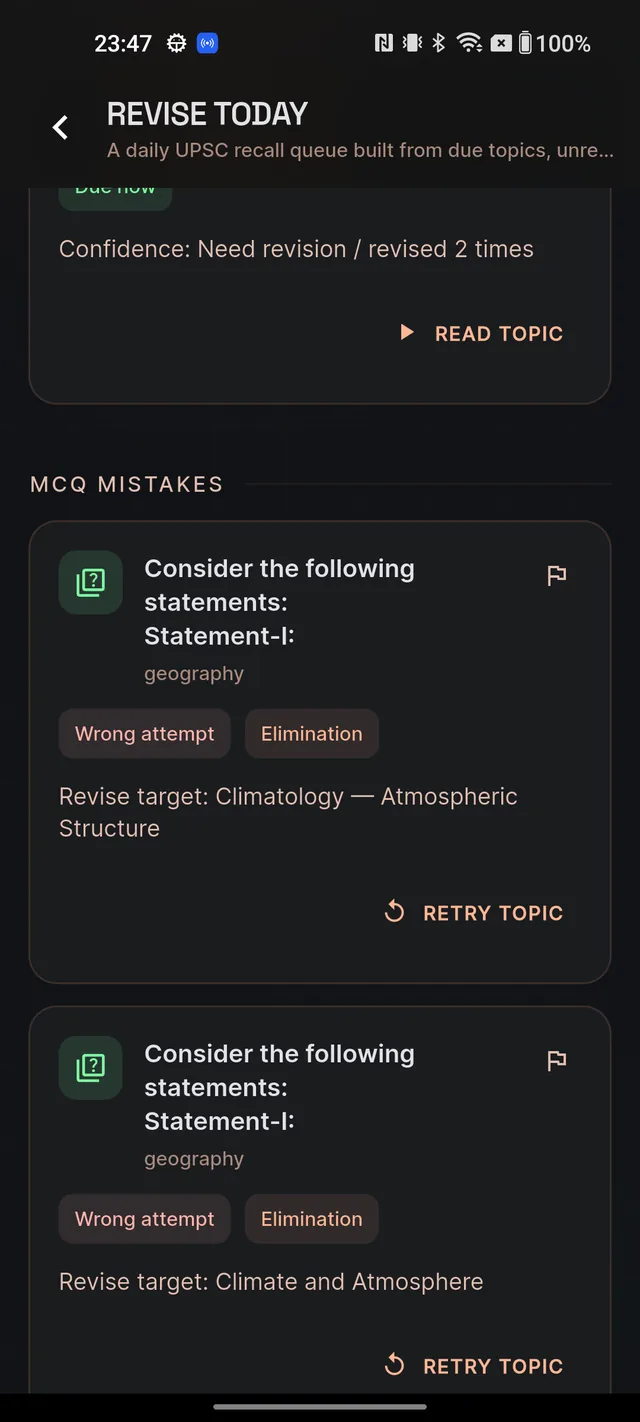
SAVED CURRENT AFFAIRS
Your 5 most recent bookmarked current-affairs articles. Tap OPEN ARTICLE to re-read one in full.
SAVED Q&A
Your 5 most recent bookmarked Q&A answers. Tap OPEN SAVED to open your Q&A history on its SAVED tab. Saved articles and answers are not scheduled — they stay listed until you remove the bookmark, so every revision visit can end with a quick re-read.
How the spacing works
Topics are the only items you rate yourself on, and that rating is what sets the timing:
- Open a topic in Learn and read it.
- Tap MARK COMPLETE in the bottom bar.
- A sheet asks How well do you know this topic? Pick one: Need Revision ("I need to read this again soon"), Understood ("I get the concepts, can recall key points"), or Mastered ("I can explain this topic and answer PYQs").
- The note header now shows Next revision: {date} and a revision counter. When that date arrives, the topic appears under DUE TOPICS.
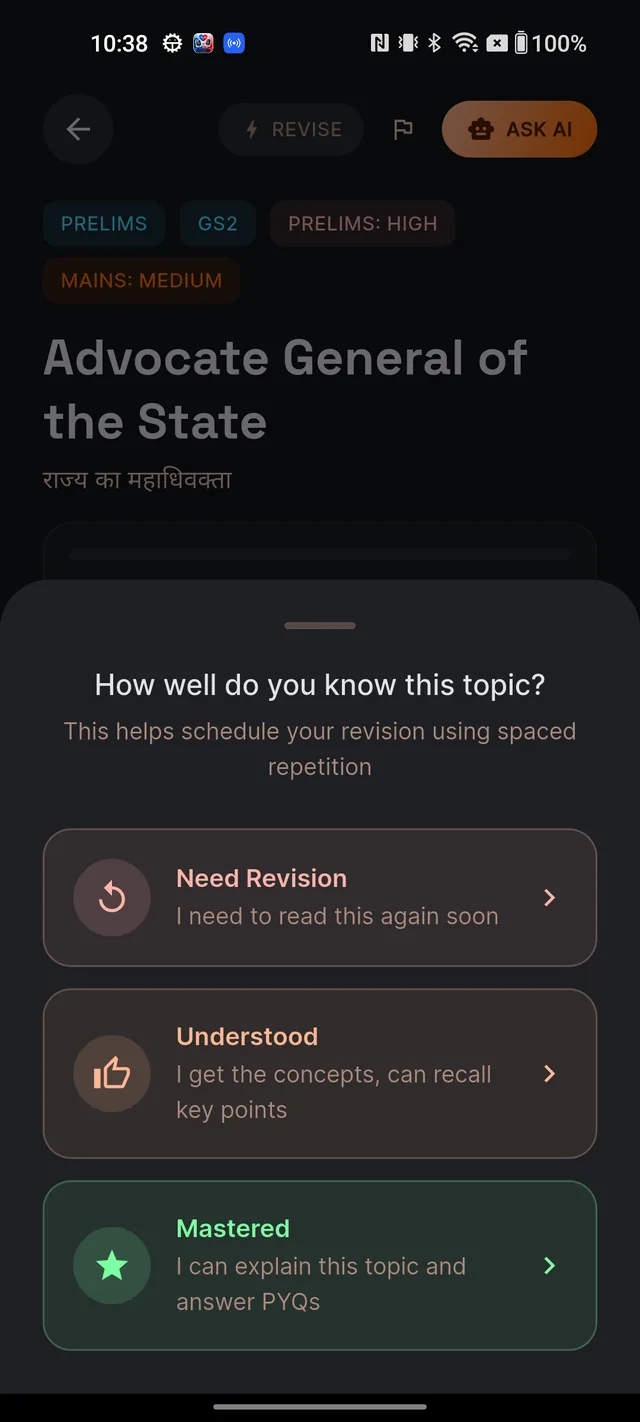
In plain words: the base gap grows every time you complete the same topic — 1, 3, 7, 14, 30, then 60 days. Your rating then bends that gap. Need Revision halves it, Understood keeps it as is, and Mastered stretches it about 1.5 times longer. The better you rate yourself, the longer Dooit waits before asking you to revise again.
MCQ mistakes schedule themselves — no rating needed. Careless or skipped mistakes return in about a day, elimination or factual slips in about two, conceptual gaps in about three. Each repeat miss on the same question adds roughly two more days, capped at 14.
What it costs
Browsing Revise Today is free for everyone and never touches your daily AI allowance. READ TOPIC and OPEN ARTICLE open free reading surfaces too. RETRY TOPIC starts a normal MCQ quiz: it only spends one daily AI action when brand-new questions must be generated for that topic — re-practising existing bank questions costs nothing. On the Free plan, a retry that needs fresh AI questions may show the friendly daily-limit screen instead; see Free vs paid for what each plan includes.
If a card itself looks wrong — a bad question, a stale article — tap the small flag icon (Report) in its corner. See Report wrong content for how reports work.
Frequently asked questions
Why is my Revise Today screen empty?
Nothing is due yet. Items appear after you mark topics complete in Learn, get MCQs wrong (they return on a retry schedule), or bookmark current-affairs articles and Q&A answers.
How does Dooit decide when a topic comes back for revision?
Spaced repetition. The gap grows each time you complete the topic — 1, 3, 7, 14, 30, then 60 days — and your confidence rating bends it: Need Revision halves the gap, Understood keeps it, Mastered makes it about 1.5 times longer.
Why do wrong MCQs keep reappearing?
Each wrong or skipped question is rescheduled automatically — 1 to 3 days at first, a little longer after repeats, never more than 14 days — until you answer it correctly in a retry quiz.
Do saved articles and answers ever leave the list?
Only when you remove the bookmark. The screen always shows your 5 most recent saves of each type, kept handy for re-reading.
Does using Revise Today consume my daily limits?
Browsing the queue and reading topics or articles is always free. RETRY TOPIC starts an MCQ quiz, which only uses a daily AI action when brand-new questions have to be generated.
Didn’t find what you needed? We are a small team and we read every message.
Email supportBack to Help Center