Report wrong content
If a note, question, answer or article looks wrong, you can challenge it in about twenty seconds. Tap the flag icon, tell us what is off, and our team verifies it against primary sources — then writes back what they found. Wrong content gets corrected for everyone.
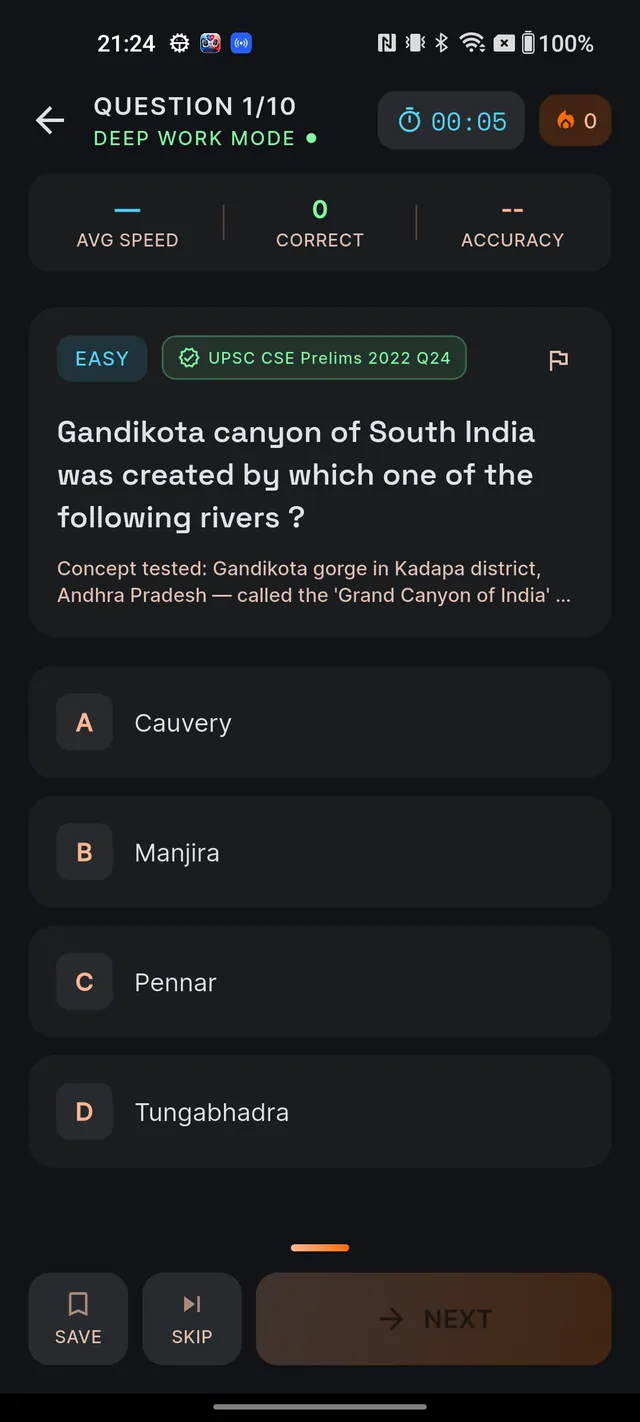
Where the flag icon appears
Look for a small outlined flag (long-press it and the tooltip says Report) on every piece of AI-generated content:
- AI answers in Q&A
- MCQ questions and their explanations — in the quiz and in your Mistakes notebook
- Current affairs articles (on the detail screen)
- Study notes in Learn
- Revise Today cards
File a report
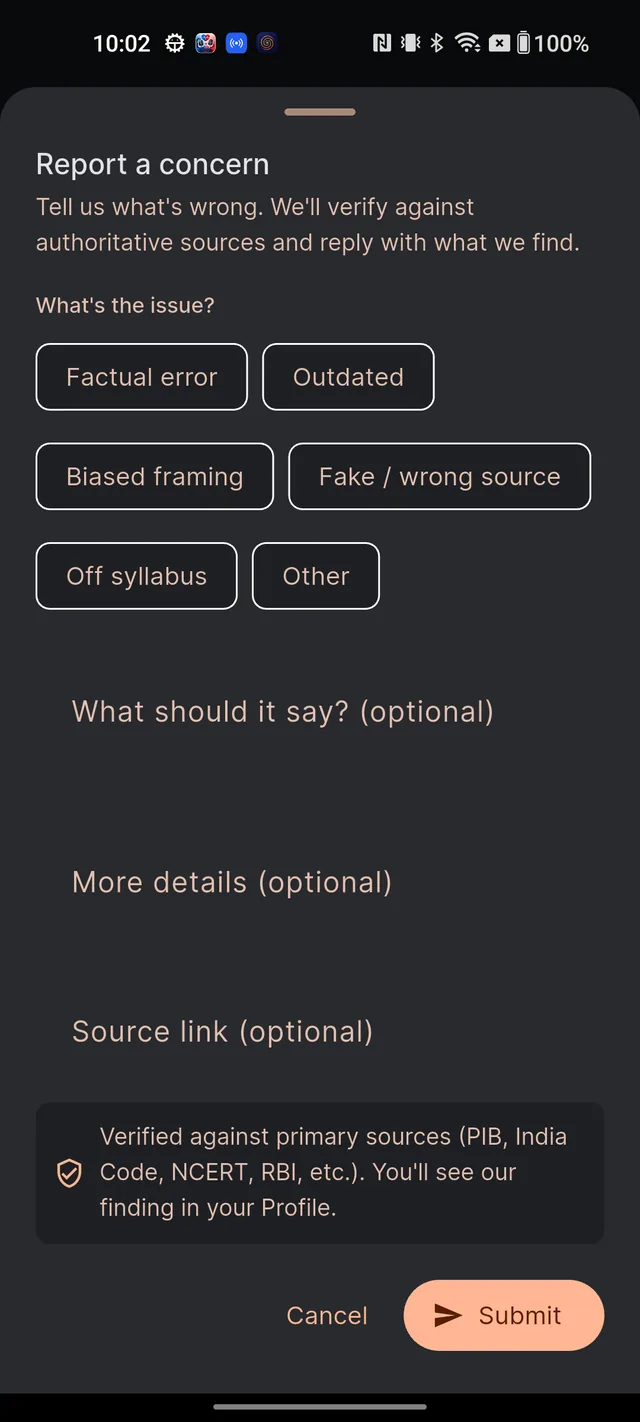
- Tap the flag icon. The Report a concern sheet opens, with the promise up front: "Tell us what's wrong. We'll verify against authoritative sources and reply with what we find."
- Under What's the issue?, pick one category chip. Only categories relevant to that content type are shown; the full set is Factual error, Wrong answer, Wrong explanation, Ambiguous / unclear, Off syllabus, Outdated, Biased framing, Fake / wrong source, Translation error, Inappropriate and Other.
- Optionally add detail — this genuinely speeds up the verdict: What should it say? (optional) for the correction you believe is right, More details (optional) for context, and Source link (optional) for a supporting link (PIB, India Code, NCERT and similar official sources are ideal).
- Tap Submit. If you forgot to pick a category, the sheet will ask you to choose one first.
- On success the sheet closes with a thank-you — typically "Thanks. Our editorial team will review your report."
What happens next
Our team checks your report against authoritative primary sources — PIB, India Code, NCERT, RBI and similar — and writes a finding in your exam language. Three things then happen:
- The finding appears in your My reports inbox (next section).
- You receive a notification that your report has an outcome.
- If the content was wrong, it is corrected — for every aspirant, not just you.
Subjective concerns (like Ambiguous / unclear or Biased framing), app bugs and feature requests are read by the team as feedback rather than fact-checked against sources.
Track it in My Reports
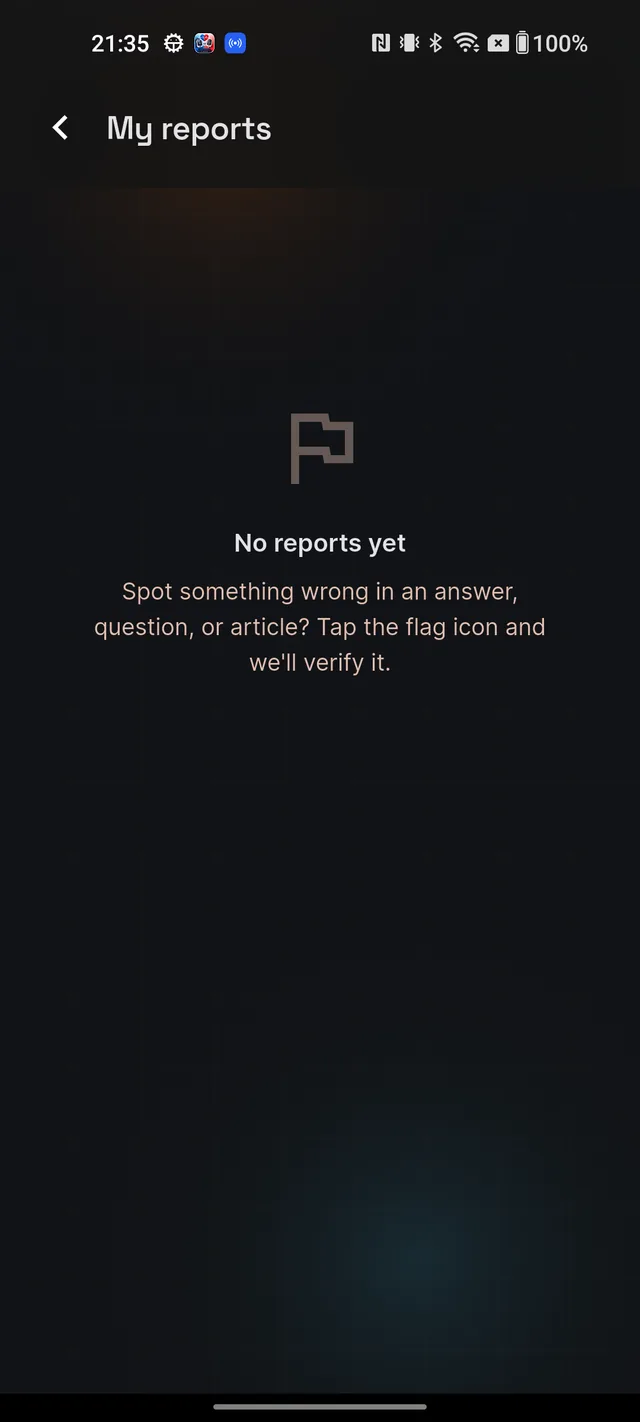
Open Profile (your avatar on Home) and tap My reports. Each card shows the content type, what you reported, and a status:
- In review — queued or being checked.
- Fixed — you were right; the content has been corrected.
- Acknowledged — accepted, no change was needed.
- Original was correct — checked; the original stands, and the finding explains why.
- Duplicate — someone reported the same issue first; the same verdict applies to yours.
- Closed — the report has been wrapped up.
When a written reply exists, it appears in a highlighted box headed Our finding. Pull down to refresh the list.
Why this matters
UPSC preparation is unforgiving: one wrong Article number or outdated fact can cost real marks. Every report you file makes the content sharper for the entire community — a Fixed verdict means thousands of aspirants now see the corrected version because you spoke up. File every genuine issue you spot; a daily fair-use limit only decides how many get the fastest turnaround, and the rest are reviewed in order.
Frequently asked questions
What happens after I submit a report?
Our team checks the flagged content against primary sources such as PIB, India Code, NCERT and RBI, then writes back what they found. The finding appears under Profile, then My reports, and you also get a notification.
What does Fixed mean?
You were right. The content was wrong and has been corrected — not just for you, but for every aspirant who sees it from now on.
What does Original was correct mean?
Your report was checked and the original content stands. The written finding explains why, with the sources that back it up.
Why is my report still In review?
It is queued or being checked. Reviews are careful, source-backed work — some verdicts land quickly, others take longer. The status updates on its own; pull down to refresh.
Is there a limit to how many reports I can file?
File every genuine issue you find. A daily fair-use limit decides how many get the fastest turnaround — anything beyond that still lands and is reviewed in order.
Can I report an app bug or request a feature here?
Yes. Pick Other and describe it — those reports route to the team rather than the fact-check queue.
Didn’t find what you needed? We are a small team and we read every message.
Email supportBack to Help Center