Notifications & reminders
Dooit's notifications exist for one reason: to keep your preparation rhythm alive. This guide lists every type you can receive, shows the notifications inbox, and explains exactly which switches control what — including the ones that live on your phone, not in the app.
What Dooit sends you
- Daily study reminder — a nudge to study at the IST time you choose.
- Streak alert — a warning when your day streak is about to break.
- Current affairs — pushes as new articles publish through the day, plus the digest.
- Quiz ready — if a fresh quiz takes a while to generate, you can keep studying and Dooit pings you the moment it is ready; tapping the notification resumes the quiz.
- Daily Mains question — the day's curated Mains question.
- Report replies — a heads-up when a content report you filed gets an outcome (see Report wrong content).
- Announcements — occasional product news.
Your notification inbox
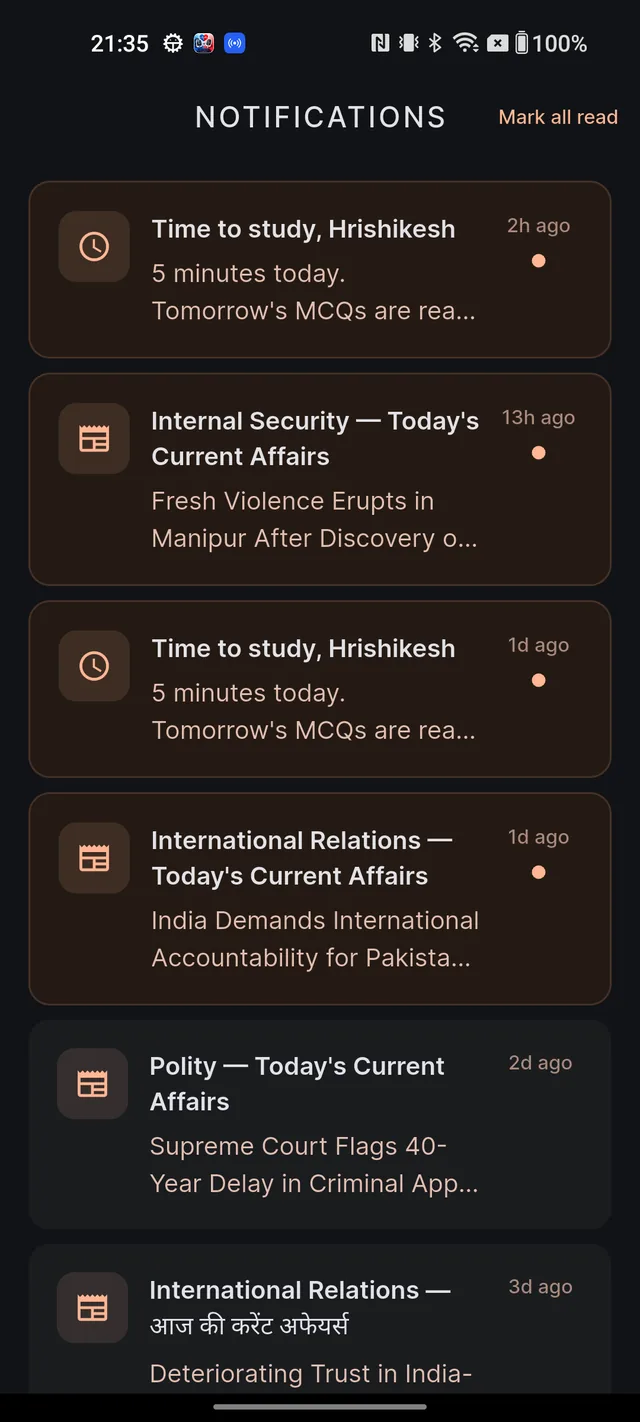
Every notification also lands in an inbox inside the app, so nothing is lost if you swipe one away on your phone.
- On Home, tap the bell icon in the top-right.
- Unread items show a bold title, a dot and a highlighted border. Tap any notification to mark it read and jump to the right screen — a current affairs push opens the article, a quiz-ready push resumes your quiz.
- Use Mark all read (top-right) to clear the dots in one go, and pull down to refresh the list.
A brand-new account sees "No notifications yet" with the hint "Study reminders and streak alerts will appear here." — that fills up quickly once your plan is running.
The three toggles and the reminder time
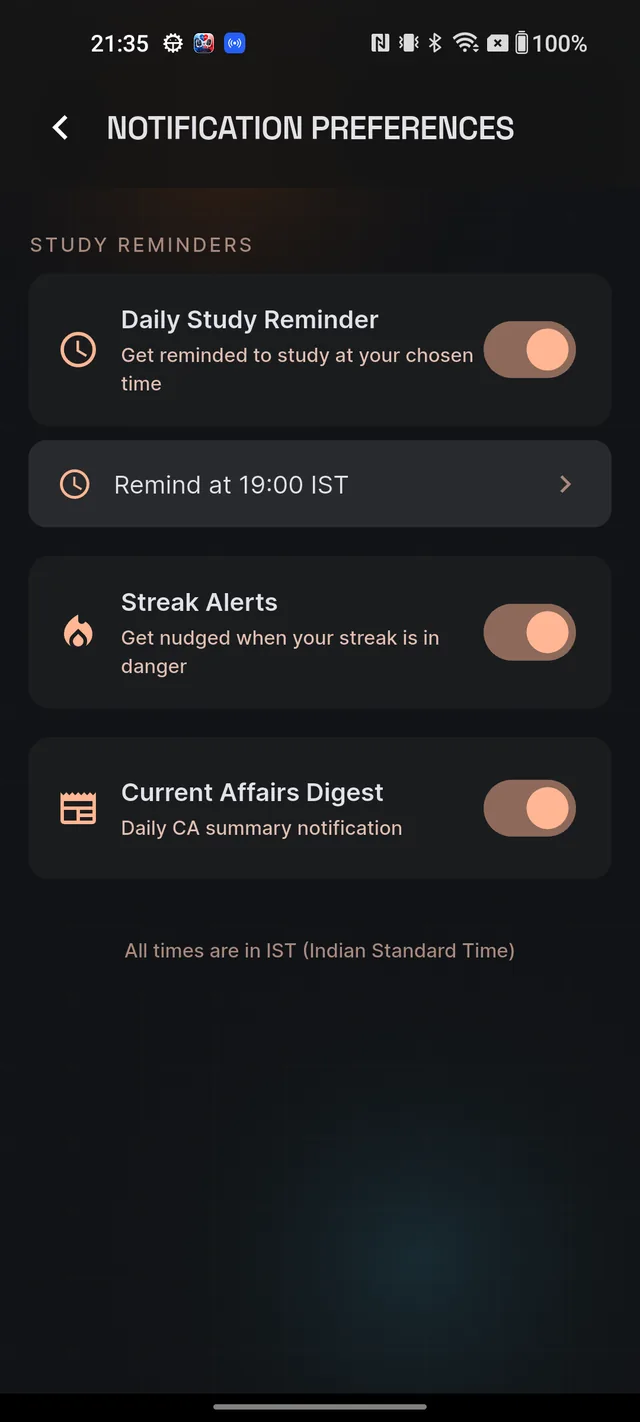
Open Settings (your avatar on Home, then the gear icon) and tap Notification Preferences. Under STUDY REMINDERS you will find exactly three switches:
- Daily Study Reminder — "Get reminded to study at your chosen time".
- Streak Alerts — "Get nudged when your streak is in danger".
- Current Affairs Digest — "Daily CA summary notification".
To change your reminder time:
- Switch Daily Study Reminder on. A time row appears below it (it reads like Remind at 19:00 IST).
- Tap the row — your phone's time picker opens.
- Pick a time and confirm. Saving is instant; if it fails, the switch rolls back so you can try again.
The footer reminds you: "All times are in IST (Indian Standard Time)".
Android's master switch
Your phone has the final say on every notification. If Dooit's notification permission is off at the system level, nothing arrives — no reminders, no streak alerts, nothing — regardless of the toggles inside the app. To check or change it, open your phone's Settings, find Apps → Dooit → Notifications (the exact path varies by phone brand), and make sure notifications are allowed. The same screen lets you silence individual categories that have no in-app toggle.
Frequently asked questions
How do I change the time of my daily study reminder?
Open Settings, tap Notification Preferences, make sure Daily Study Reminder is on, then tap the time row below it (it reads like Remind at 19:00 IST) and pick a new time.
How do I stop Current Affairs notifications?
Settings, then Notification Preferences, then switch off Current Affairs Digest.
Why did I get a notification saying my quiz is ready?
If a fresh quiz takes a while to generate, the app lets you keep studying and pings you the moment it is ready. Tap the notification to jump straight into the quiz.
What timezone are reminders in?
Everything is in IST (Indian Standard Time) — the preferences screen says so at the bottom.
I turned off all three toggles but still got a notification — why?
Some types — quiz-ready alerts, the daily Mains question, replies to your content reports and occasional announcements — have no in-app toggle. Silence them from your phone's notification settings for Dooit.
Didn’t find what you needed? We are a small team and we read every message.
Email supportBack to Help Center