Billing FAQs & refunds
This page answers the money questions: when renewals happen, how the 14-day refund works, what an expired plan actually changes, and the one mistake to avoid — assuming that deleting the app cancels your subscription. It does not.
Renewals
Every Dooit plan is annual and renews automatically through Google Play unless you cancel. You can check the exact date any time: open Settings, tap Manage subscription, and look for the Renews line on the hero card. The same date is shown on the PREMIUM ACTIVE welcome screen right after you buy.
To stop a renewal, cancel from the Play Store before the renewal date — the steps are in Subscribe, manage & cancel. You keep full access until the paid period ends.
Refunds: how the 14-day window works
Dooit's trust line — "14-day refund · Cancel anytime in Play Store" — is shown when you buy, and the refund is self-serve inside the app:
- Open Settings and tap Manage subscription.
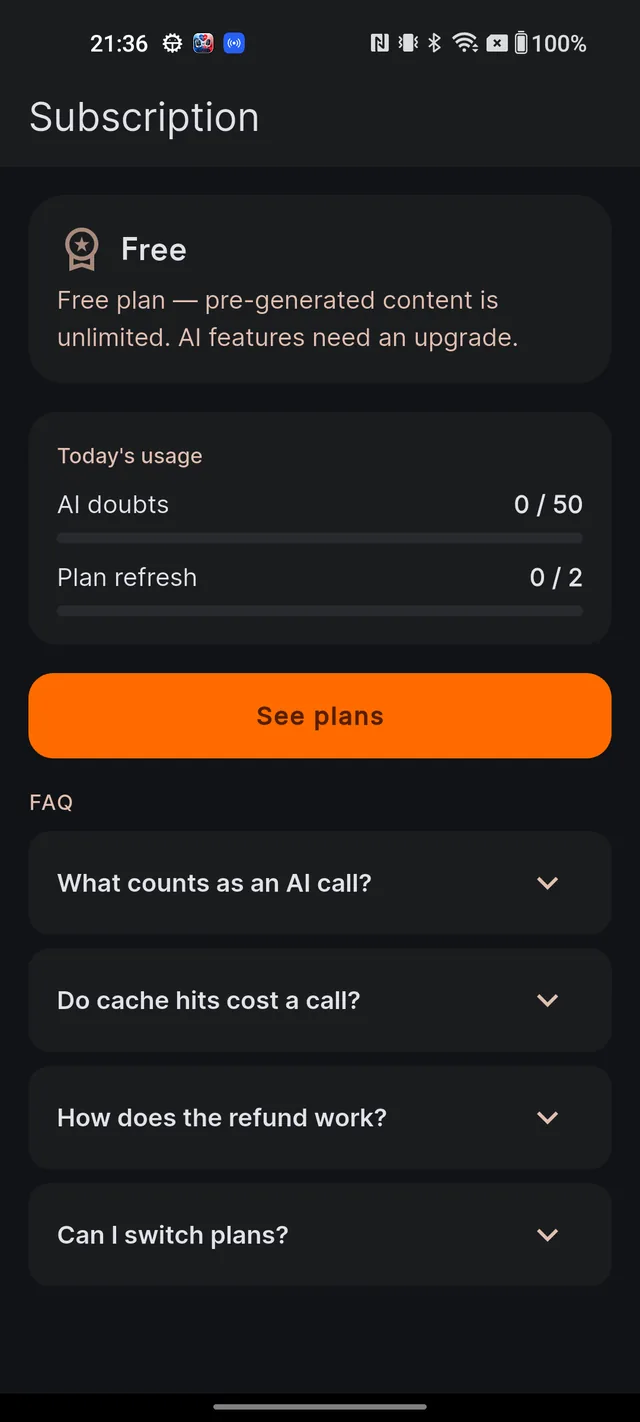
- On the Subscription screen, tap Request refund (within 14 days). This button only appears while you are eligible: within 14 days of purchase and having used less than a quarter of your daily AI allowance.
- A dialog titled Request refund? explains the consequences: you lose premium access immediately, and the refund typically arrives in 5–7 business days.
- Tap Refund me to confirm — or Keep premium to change your mind.
On success you will see "Refund initiated. You're now on the Free plan." Your account, notes and history are untouched — only the premium AI access ends.
What expiry actually does
If your plan lapses, the change is smaller than most people fear:
- The Subscription screen labels your plan Free (Expired), and the rest of the app shows the FREE PLAN badge.
- Nothing is deleted. Your study plan, notes, bookmarks, Q&A history, MCQ record, reports and progress all stay exactly as they were.
- Only fresh AI actions — new answers, generated quizzes, Mains evaluation and plan refreshes — drop back to the Free plan's daily allowance. Reading and practice stay unlimited (see Free vs paid).
- To get premium back, simply buy a plan again from Settings — or do nothing, because Google Play renews automatically if you never cancelled.
Deleting the app or your account does not cancel billing
This is the most expensive misunderstanding in any subscription app, so to be completely clear:
- Uninstalling Dooit does not cancel your subscription. Google Play continues to charge you on schedule.
- Deleting your Dooit account does not cancel it either. Account deletion erases your data from Dooit, but billing lives with Google.
To actually stop payments: open the Play Store app, tap your profile picture, go to Payments & subscriptions → Subscriptions, choose Dooit and cancel. If you plan to delete your account, cancel in the Play Store first — the full checklist is in Delete your account & your data.
Frequently asked questions
When am I charged again?
All plans are annual and renew automatically through Google Play. Your renewal date is shown on the Subscription screen next to Renews. To stop the renewal, cancel in the Play Store before that date.
How do I request a refund?
Within 14 days of purchase, open Settings, tap Manage subscription, and tap Request refund (within 14 days). The button appears only while you are eligible. Premium access ends immediately and the money typically arrives in 5 to 7 business days.
Do I lose my notes and history when my plan expires?
No. Nothing is deleted on expiry — your notes, bookmarks, plan, reports and full history all stay. Only fresh AI actions lock again, exactly like the Free plan.
I uninstalled the app — did that cancel my subscription?
No. Billing lives with Google Play, not the app. Open the Play Store, go to Payments and subscriptions, then Subscriptions, and cancel Dooit there, or Google may keep charging you.
I deleted my Dooit account — did that cancel my subscription?
No. Deleting the account removes your data from Dooit but does not touch Google Play billing. You must also cancel the subscription in the Play Store.
Didn’t find what you needed? We are a small team and we read every message.
Email supportBack to Help Center