Common issues & fixes
Most "is the app broken?" moments have a quick answer. Below are the issues aspirants ask about most, each with its fix — and several of them are normal behaviour, not faults. If yours isn't here, contact support and we'll sort it out.
Quizzes and AI limits
Your quiz is taking a long time to start
The first quiz on a fresh topic can take 1–3 minutes — our AI is writing brand-new questions for you. If it runs past about a minute, a calm card appears: This is taking a little longer than usual. Tap Notify me & keep learning — you're free to use the rest of the app, and a "quiz is ready" notification arrives the moment it's done. Tap the notification to jump straight into your quiz; it never costs an extra AI action. If you miss the push, it also lands in your notification inbox (bell icon on Home). Repeat quizzes on the same topic start instantly.
You see "You've used today's free AI quota"
Fresh AI actions — asking a doubt, generating a new quiz, evaluating a Mains answer — come from one shared daily allowance that depends on your plan, and it resets at midnight IST. When it runs out you see the friendly You've used today's free AI quota screen with a Keep learning button. Nothing is lost: study notes, the MCQ bank, PYQs and current affairs stay fully open. Come back tomorrow for fresh AI, or upgrade any time from Settings → UPGRADE TO PREMIUM (billed through Google Play). Details in Free vs paid.
Current Affairs
The feed shows yesterday's date
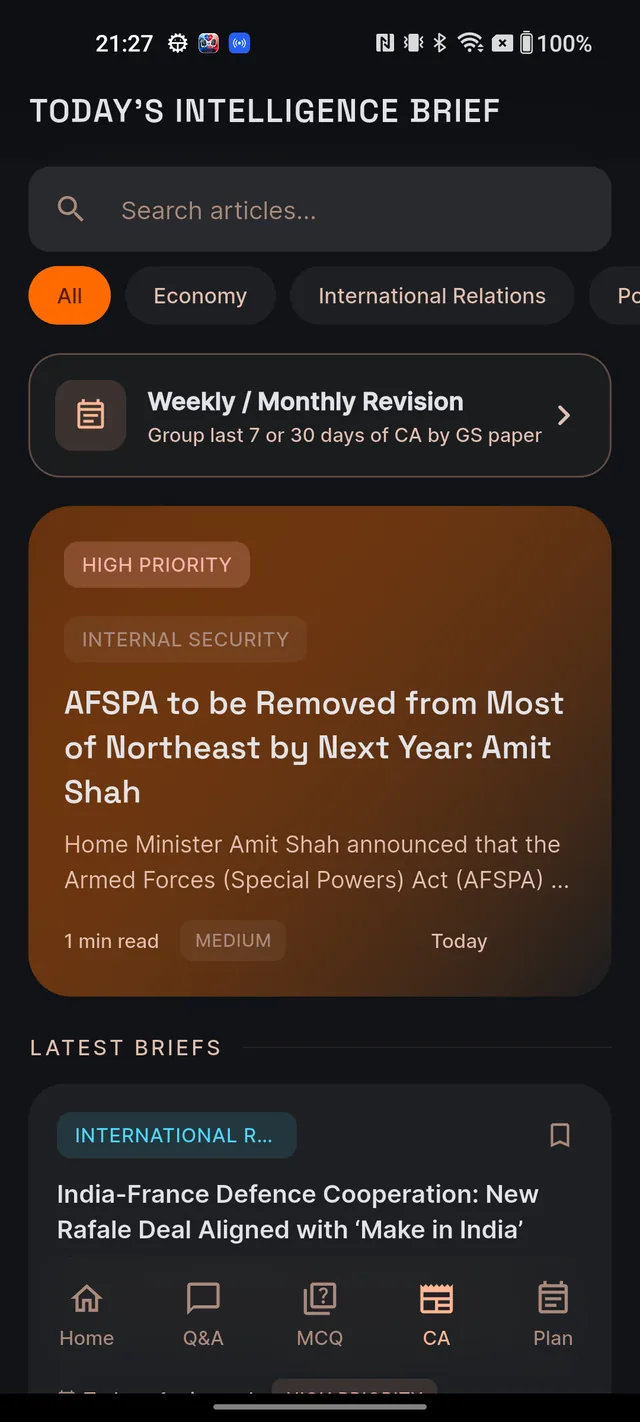
Normal. Until today's first briefs land, the feed honestly shows the latest available day — cards labelled Yesterday in the morning mean "today's briefs haven't arrived yet", not "the feed is broken". How and when briefs arrive through the day is covered in The daily Current Affairs feed. You can also turn on the Current Affairs Digest notification in Settings → Notifications to be pinged when new briefs land.
Articles have no picture
Also normal. Articles currently open with a neat placeholder graphic instead of a news photo — that is the expected look right now. The full brief, summary and practice questions underneath are complete.
Writing, sign-in and language
Your Mains answer vanished when you left the editor
The Mains answer editor has no auto-save and no drafts. If you leave the screen before submitting, the typed text is gone. Two habits prevent heartbreak: finish and submit in one sitting, and for long answers select and copy your text before submitting so you hold a backup. See Write your answer for the full editor guide.
The 8-digit email code hasn't arrived
When you create an account (or sign in with an unverified email), Dooit emails you an 8-digit verification code from noreply@dooitupsc.com. It can take up to a minute — and it loves hiding in spam, so check there first. On the verify screen, tap Resend code once the 60-second countdown ends, and always enter the code from the newest email. If you typed the wrong email address, tap Edit next to Wrong email? to fix it.
Hindi content briefly shows a "being prepared" note
If your exam medium is Hindi, almost everything arrives in Hindi from the start — current-affairs briefs are only published once both languages are ready. Very occasionally a brand-new item is still finishing its Hindi version: you might see a short "being prepared" message on a just-published article, or an audio warm-up may play in English with a "Hindi version coming soon" notice. This resolves on its own — no action needed.
Screenshots and startup
Screenshots come out black
Intentional, not a bug. Study-content screens — Q&A answers, study notes, MCQ quizzes, full current-affairs articles, and Mains answers — block screenshots, screen recording and casting to protect Dooit's exam content. The same protection makes the app look black in your recent-apps switcher. To keep something for later, use the in-app bookmark or saved items instead; screens like Home, Plan and Settings can be captured normally.
The app is stuck on "Unable to start. Check your connection."
The app couldn't reach our servers at startup — usually airplane mode, a dead Wi-Fi network, or mobile data turned off. Check your connection and tap RETRY. You won't lose your account or sign-in; your session restores automatically once you're back online.
Frequently asked questions
When does my daily AI allowance reset?
At midnight IST, every day, on every plan.
Does tapping a quiz-ready notification use my AI allowance again?
No. It simply opens the quiz that was already generated for you — no extra cost.
Why do some current-affairs articles have no picture?
Articles currently open with a placeholder graphic instead of a news photo. That is the expected look right now — the full brief underneath is complete and unaffected.
Are black screenshots a bug?
No. Study screens block screenshots on purpose to protect exam content. Use the in-app bookmark to save things instead.
My problem isn't listed here. What should I do?
Email roy@roydigital.in with what you tapped, what you expected, and what actually happened. See Contact support for the details that help us fix things fast.
Didn’t find what you needed? We are a small team and we read every message.
Email supportBack to Help Center