The daily Current Affairs feed
The Current Affairs tab is your daily, exam-focused news brief — every article already mapped to its GS paper, linked to the static topic behind it, and ready to test you. This guide shows you around the feed, explains when new briefs arrive, and walks through everything inside an article.
Open the Current Affairs feed
- Open Dooit and tap CA in the bottom navigation bar.
- Or, from the home screen, tap Current Affairs ("Read today's intelligence brief"). Both routes land on the same feed.
What you'll see on the feed
From top to bottom:
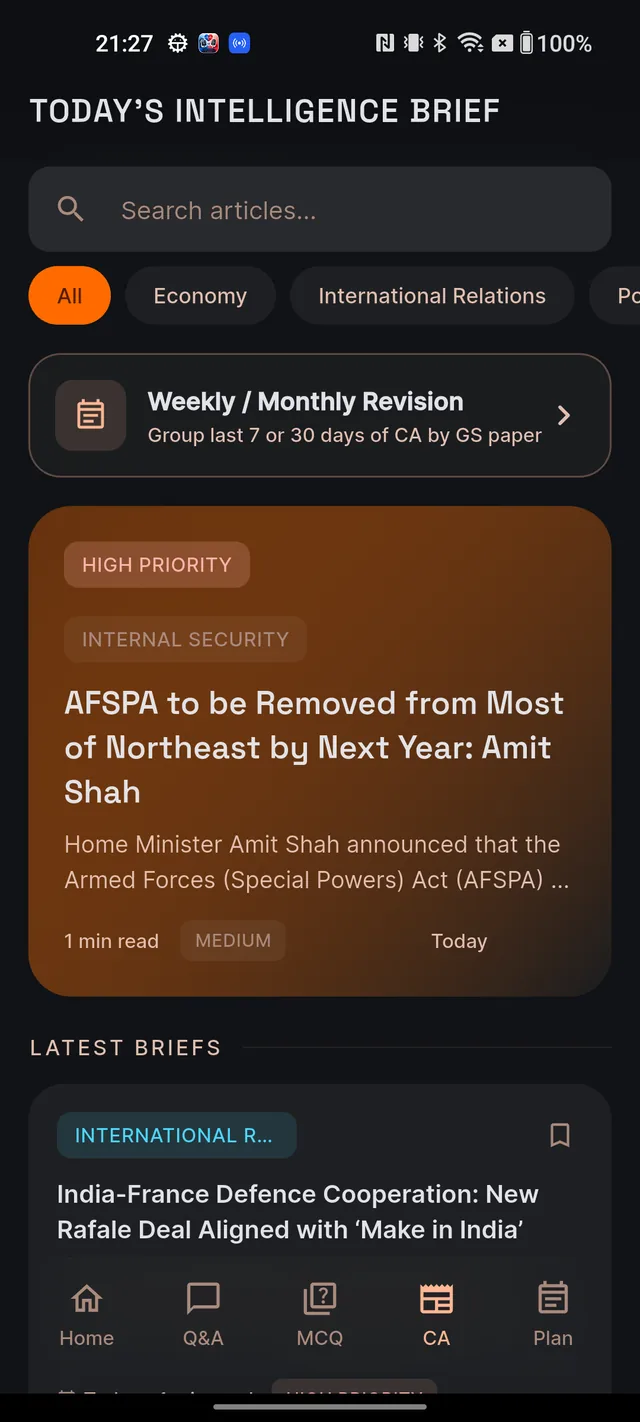
- The pinned header TODAY'S INTELLIGENCE BRIEF — it stays visible while you scroll.
- A search box (Search articles...) that filters the feed live by title, summary and category as you type.
- Category pills: All, Economy, International Relations, Polity and Environment, plus a bookmark-icon Saved pill at the end. An article on any other subject still appears under All.
- The Weekly / Monthly Revision card — your door to the 7-day and 30-day revision digest. See The Digest & older days.
- A large featured card — the lead brief of the day, with a red HIGH PRIORITY badge, headline, a short summary and the read time.
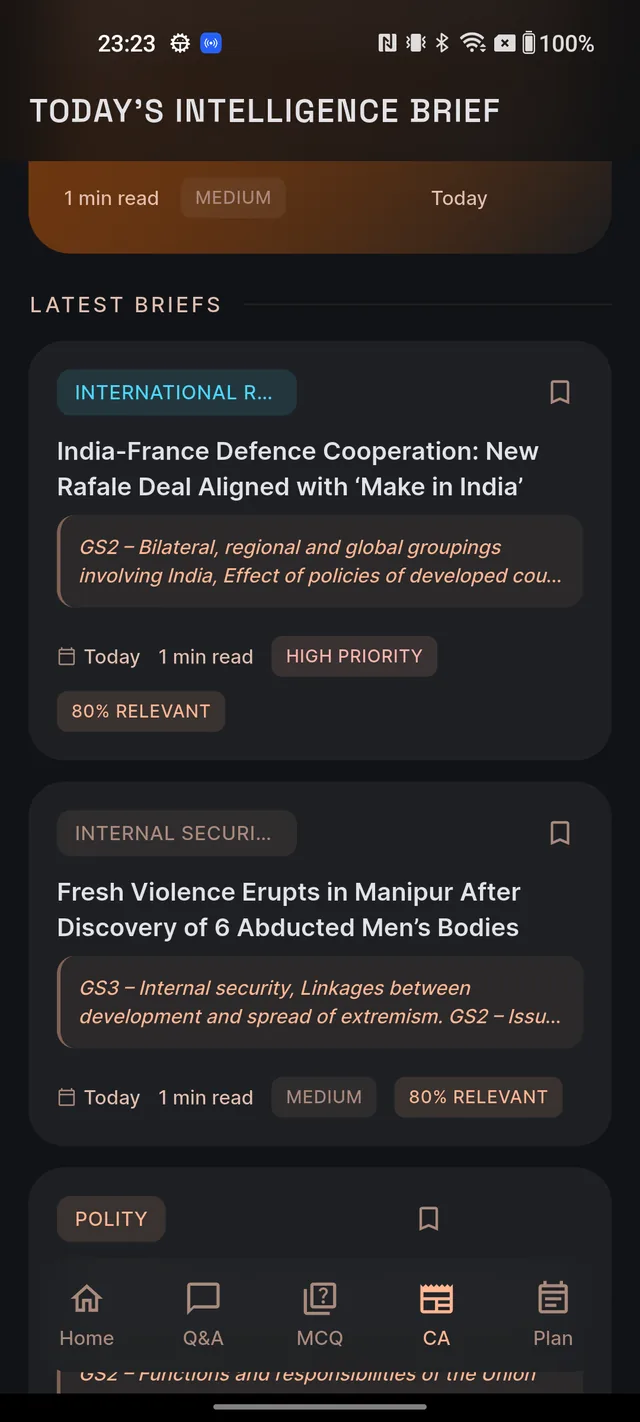
- LATEST BRIEFS — the rest of the day's articles.
Every article card shows a topic badge, a bookmark icon, the headline, a short line on why it matters for UPSC, and chips for the date, read time ("4 min read") and priority.
When new briefs arrive — and why dates are honest
New briefs are published in batches through the day, roughly every couple of hours from about 6 AM to midnight IST. Pull down on the feed any time to check for fresh ones — the refresh spinner stays until the feed has re-checked.
Every card carries an honest date label: Today, Yesterday, "N days ago", and then short dates like "8 Apr". If today's briefs haven't been published yet — common early in the morning — the feed shows the latest available day instead of an empty screen. So a card saying Yesterday at 7 AM is normal, not a glitch: the label tells you exactly which day you are reading, and there is always something to study.
Want a ping when fresh briefs land? Turn on the Current Affairs Digest notification — see Notifications & reminders.
Inside an article, top to bottom
Tap any card to open the full brief. The page is built for exam study, in this order:
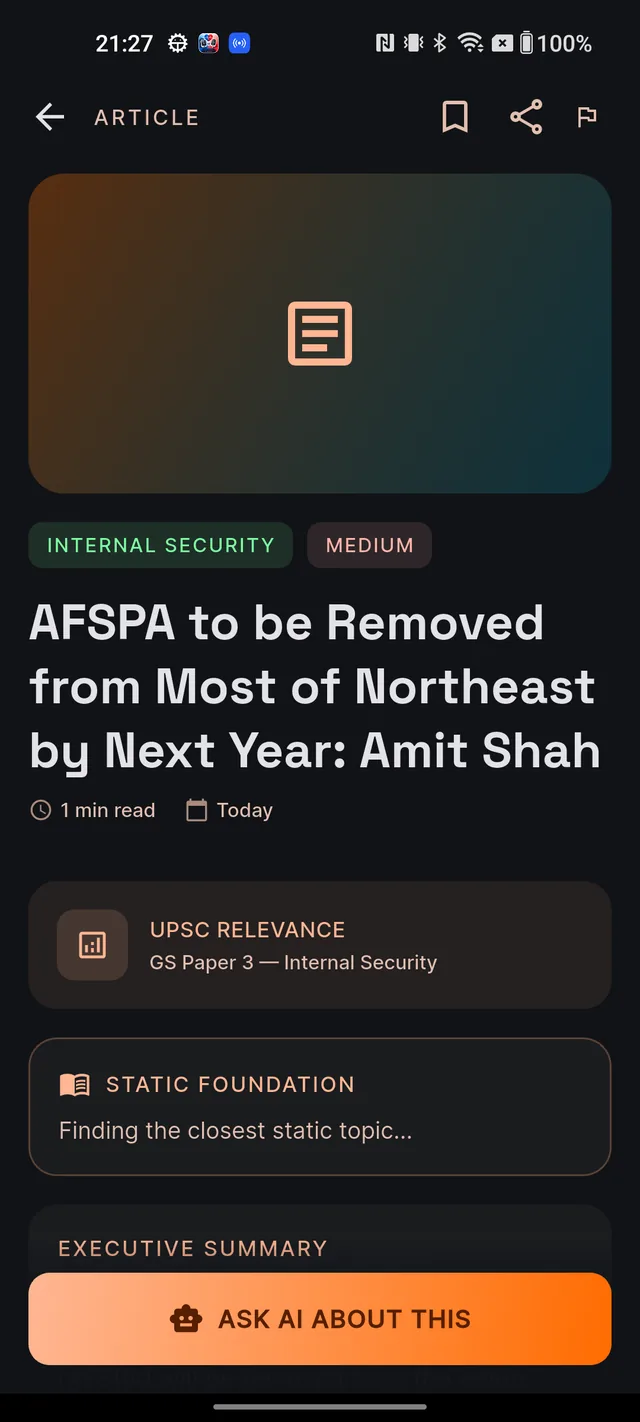
- UPSC RELEVANCE — which GS paper and topic the news belongs to (for example "GS Paper 2 — Polity"), or General Studies when it isn't pinned to a single paper.
- STATIC FOUNDATION — Dooit links the news to the static Learn topic behind it. Tap Read static base to open that note first, or Practice MCQs to quiz yourself on it. When only the subject matches, you'll get a Browse Learn button instead.
- EXECUTIVE SUMMARY — the brief itself: what happened and why it matters.
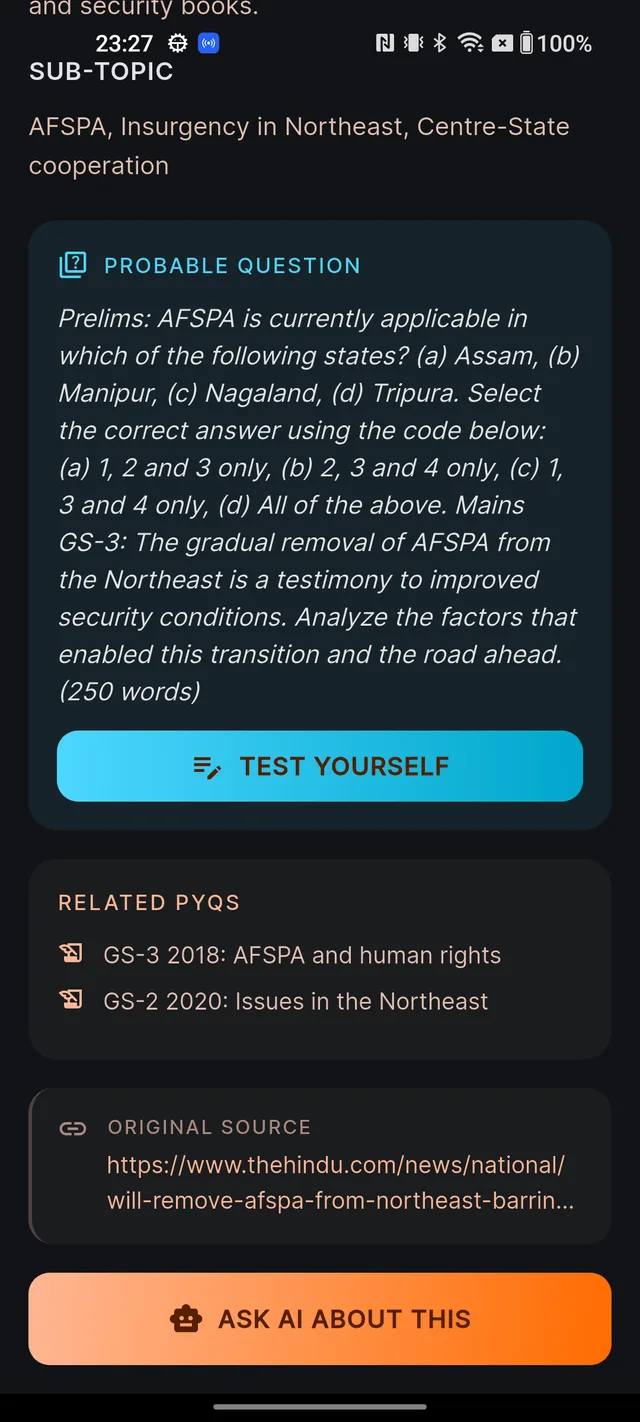
- PROBABLE QUESTION — an exam-style question on the article, with a TEST YOURSELF button that launches a short quiz seeded from it.
- RELATED PYQS — previous-year questions that touch the same theme.
- ORIGINAL SOURCE — attribution for the underlying news. Tap the share icon at the top of the screen to copy that link ("Source link copied to clipboard."). The icon is dimmed when an article has no source link.
- ASK AI ABOUT THIS — the floating button at the bottom. It opens Q&A pre-filled with a detailed question about the article. See Ask your first question.
Some sections only appear when the article has them — a brief without related PYQs simply skips that card. At the top of the page you'll also find the bookmark icon (save for later) and a flag icon to report anything that looks wrong to our team.
What's free and what uses your AI allowance
Reading Current Affairs is free on every plan — the feed, full articles, the digest and bookmarking cost nothing. The AI actions are different: ASK AI ABOUT THIS, TEST YOURSELF and Practice MCQs use your daily AI allowance when a fresh answer or fresh questions have to be generated for you. If you've used up today's AI actions, you'll see a friendly note inviting you back tomorrow. How much allowance you get depends on your plan — see Free vs paid.
Frequently asked questions
Why does my feed show 'Yesterday' instead of today's date?
Today's briefs simply haven't been published yet. New briefs arrive in batches roughly every couple of hours between about 6 AM and midnight IST. Until the first batch lands, Dooit shows the latest available day so you always have something to study. Pull down to refresh later in the day.
What time do new articles arrive?
In batches roughly every two hours between about 6 AM and midnight IST. Turn on the Current Affairs Digest notification in Settings to get a ping when fresh briefs land.
Is Current Affairs free to read?
Yes. The feed, every article, the digest and bookmarking are all free on every plan. Only the AI actions — ASK AI ABOUT THIS, TEST YOURSELF and Practice MCQs — use your daily AI allowance, and only when a fresh answer or fresh questions have to be generated for you.
Why is there no photo on an article?
Articles currently show a coloured placeholder graphic instead of a news photo. That is normal, not a loading problem.
Why can't I take a screenshot of an article?
Article pages are protected against screenshots and screen recording to keep Dooit's exam content safe. Bookmark the article instead, or tap the share icon to copy the original news source link.
What does the share icon do?
It copies the original news source's web link to your clipboard and shows 'Source link copied to clipboard.' It is dimmed when an article has no source link.
Didn’t find what you needed? We are a small team and we read every message.
Email supportBack to Help Center