Model answers
After your answer is graded, you can open the Ideal Answer for the same question — a Rank-50 quality answer written to the same word limit — and compare it line by line with what you wrote. Here is how to reach it, why it is usually instant, and how to learn from it without falling into the copying trap.
How to open an Ideal Answer
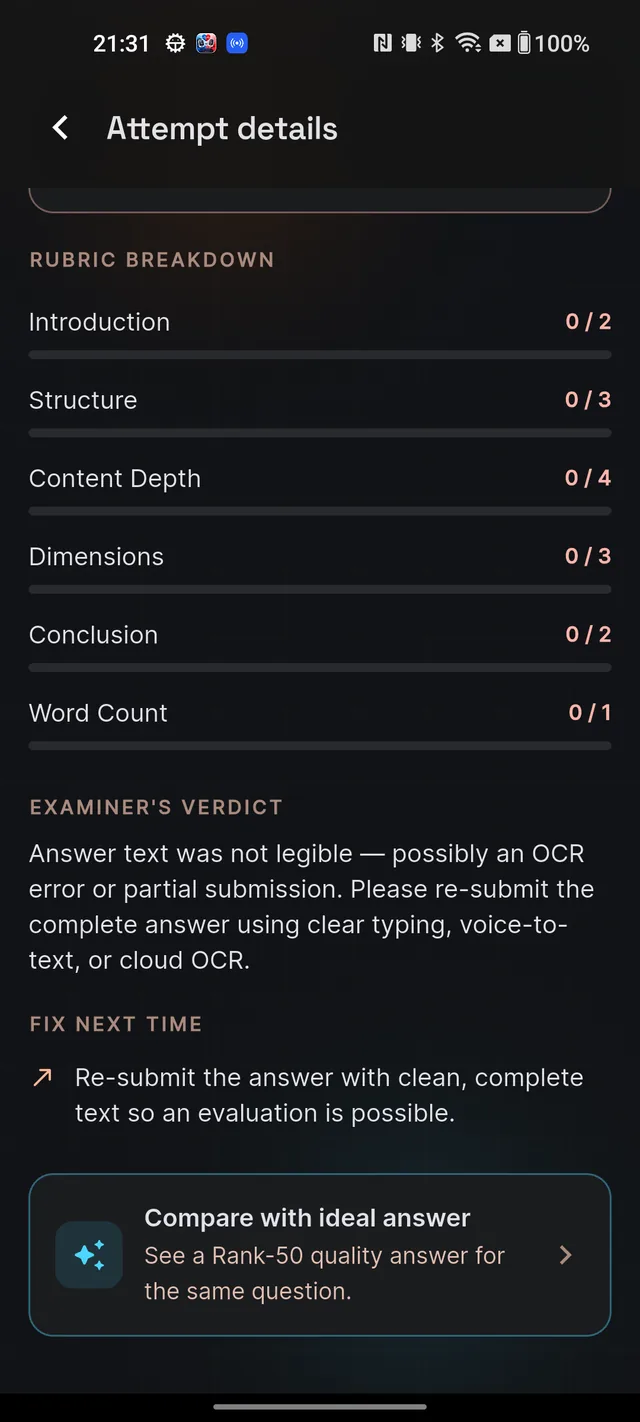
- Write and submit an answer, and open its evaluation report (see Your AI evaluation, explained).
- Scroll to the bottom of the report and tap the Compare with ideal answer card — "See a Rank-50 quality answer for the same question."
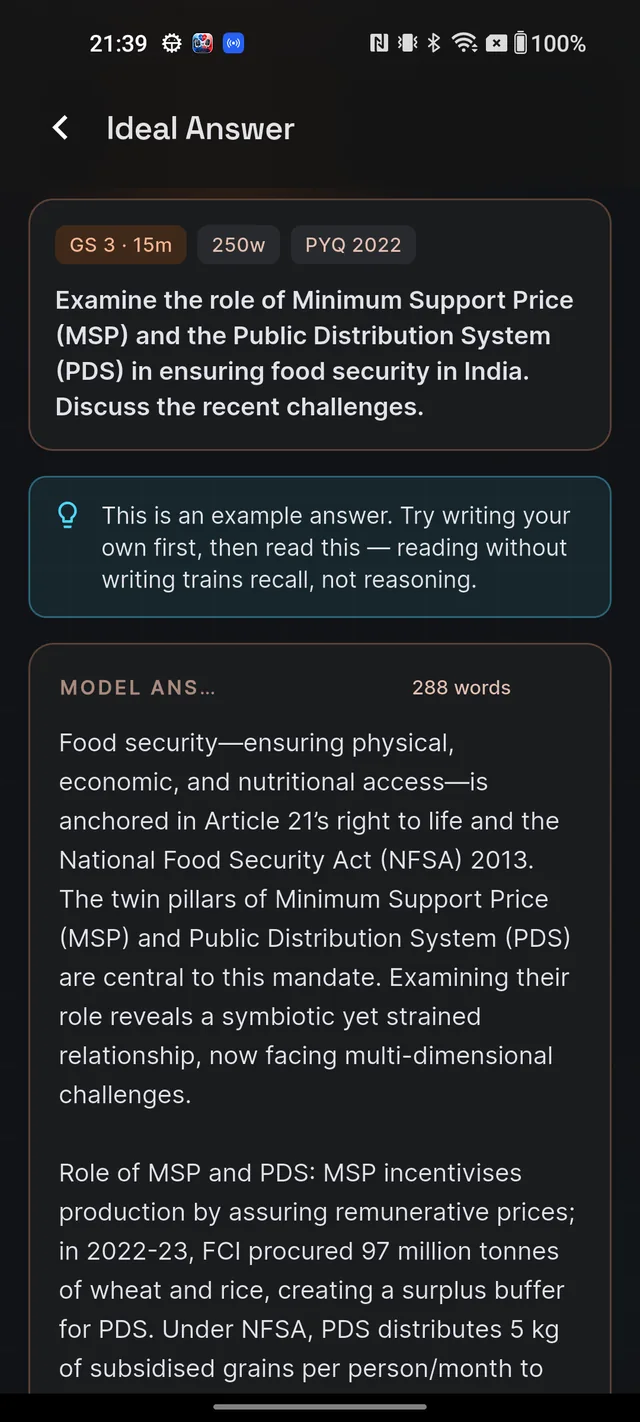
- The Ideal Answer screen opens with a MODEL ANSWER card showing the full answer and its word count, in your exam language (English or Hindi).
This is the only way in — there is deliberately no "show me the answer" button in the question browser. The order is fixed by design: write first, then compare. A banner on the screen says it plainly: "This is an example answer. Try writing your own first, then read this — reading without writing trains recall, not reasoning."
Why it is instant for popular questions
Ideal answers are shared: every aspirant who opens the same question sees the same model answer. Popular questions already have theirs prepared, so the screen loads instantly. If you are the very first person to request one for a question, you will see "Generating ideal answer…" and a wait of about 10–25 seconds — after that, it is instant for everyone.
Viewing ideal answers never uses your personal daily AI allowance. There is one platform-wide limit: only so many brand-new ideal answers are generated each day. If you hit it, you will see "Ideal answers paused for today" — questions that already have an answer still load normally, and fresh ones resume tomorrow. If a question simply has no model answer yet, the screen says "Model answer not available yet." — pull down to refresh or try again later.
How to compare without copying
You will notice the model answer text cannot be selected or copied, and the screen blocks screenshots. That is deliberate: the value is in the technique, not the sentences. A comparison routine that actually moves your score:
- Keep your own report in mind — especially your two weakest areas from the Rubric breakdown.
- Read only the model answer's introduction. How does it anchor itself — an Article, a fact, a case? Compare with how you opened.
- Skim its structure: where the headings fall, how each paragraph moves the argument.
- Count its named anchors — schemes, committees, cases, data — against your own.
- Read the conclusion last: notice how it takes a position and points to a way forward instead of repeating the body.
- Close the screen and rewrite your answer from memory, applying two or three of those techniques. Submitting the rewritten version is a fresh evaluation that uses your daily allowance — usually a spend worth making.
Frequently asked questions
Where is the button to see the ideal answer?
It is the Compare with ideal answer card at the bottom of your evaluation report. There is no entry from the question browser — you write and submit first, then compare.
Why did the ideal answer take 10–25 seconds to appear?
You were the first aspirant to request it for that question. The same answer is shared with everyone, so from then on it loads instantly for all.
Does viewing an ideal answer use my daily AI allowance?
No. Opening ideal answers is free — it never deducts from your personal daily allowance.
Why can't I copy or screenshot the ideal answer?
Content protection. The model answer is there to study technique from, not to paste. Read it, note the methods, then rewrite your own answer.
What does Ideal answers paused for today mean?
There is a platform-wide daily cap on generating brand-new ideal answers so costs stay predictable. Questions that already have one still load normally — or try again tomorrow.
Didn’t find what you needed? We are a small team and we read every message.
Email supportBack to Help Center