The Weak Axes report
One graded answer tells you how that answer went; the Weak Axes Report tells you what keeps going wrong. It tracks all six scoring areas across every evaluated attempt and names the three that repeatedly cost you marks — so you practise the right thing next.
Open your report
- Open the app and tap Mains Workspace on Home.
- Tap the Weak Axes Report card near the top. Its subtitle already previews your state — for example "Top 3 weakest rubric axes across 4 attempts.", or "Write one answer to start seeing patterns." if you have none yet.
If you have no evaluated answers, the report shows "No data yet" with a Browse PYQs button — the pattern starts forming from your very first evaluated attempt. Not sure how attempts get evaluated? Start with Write your answer.
The OVERVIEW card
The OVERVIEW card at the top shows three numbers: Avg total (your average score out of 15 across evaluated attempts), Latest (your most recent score out of 15) and Attempts. Under them, a one-line trend reads your direction:
- Improving: "Your latest beats your average — keep this style."
- Flat or dipping: "Latest is at or below your average — focus today's practice on the weakest axes below."
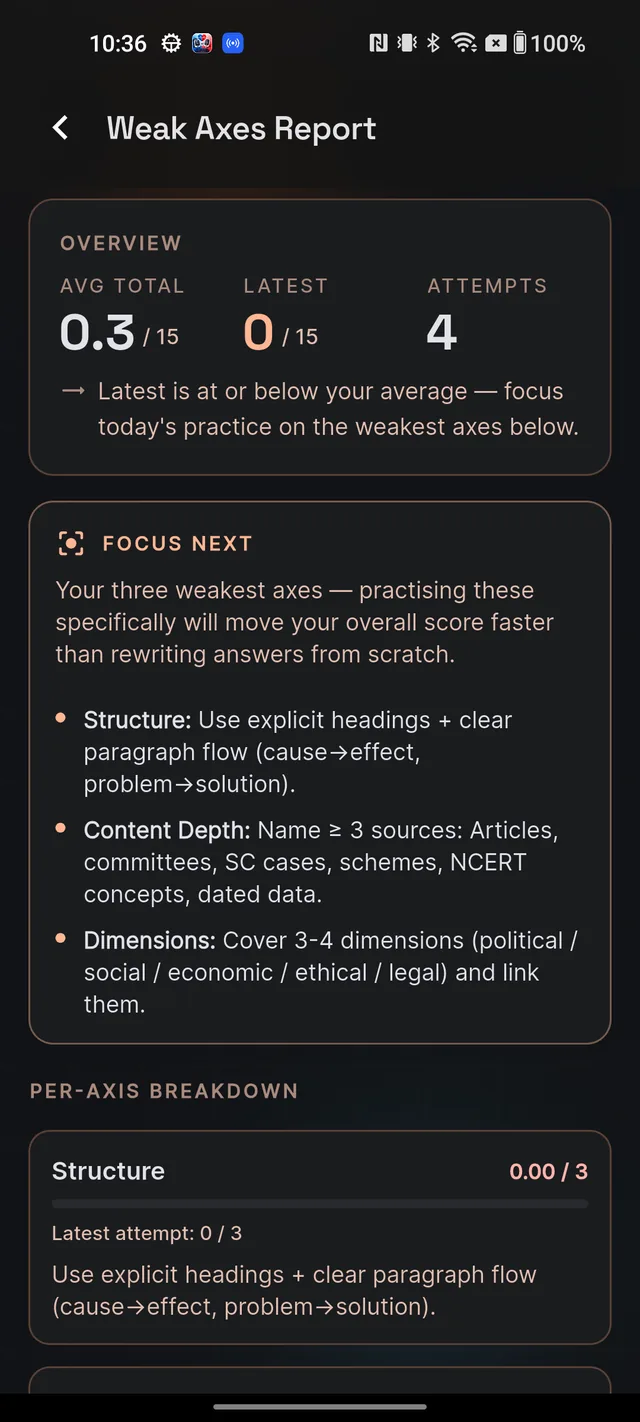
FOCUS NEXT: your three weakest areas
Once you have three or more evaluated attempts, the FOCUS NEXT card appears: "Your three weakest axes — practising these specifically will move your overall score faster than rewriting answers from scratch." It lists your three weakest scoring areas, each with a coaching tip you can apply in your next answer.
With fewer than three attempts, the report says so honestly — your weak-axes pattern stabilises after about three evaluated attempts, so keep writing and the panel will sharpen. "Weakest" is judged fairly: by your average in each area relative to that area's maximum, so a 1/2 in Introduction outweighs a 3/4 in Content Depth.
The per-axis breakdown
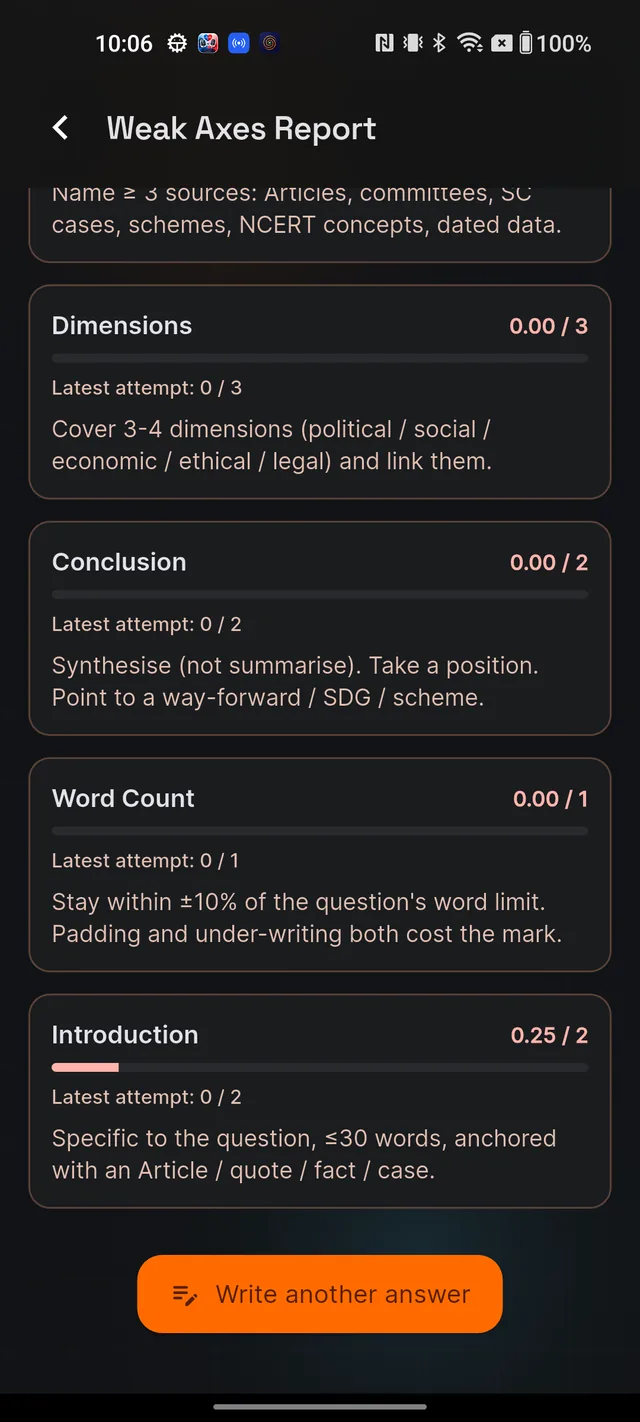
Below FOCUS NEXT, the Per-axis breakdown gives one card per scoring area, sorted weakest first. Each card shows your rolling average with a bar (for example "1.40 / 2"), your latest attempt's score in that area, and the coaching tip for it — for instance, Introduction's tip is "Specific to the question, ≤30 words, anchored with an Article / quote / fact / case." For what each of the six areas measures and how the 15 marks split, see Your AI evaluation, explained.
At the bottom, the Write another answer button drops you straight back into the question browser — the report is most useful when you act on it within the same study session.
How it updates
The report is pure analytics over evaluations you already have — opening it costs nothing and never touches your daily AI allowance. It refreshes every time you enter the screen and on pull-to-refresh, so the moment a new attempt finishes grading, your averages, trend line and weakest-area ranking all move.
Frequently asked questions
How many answers do I need before FOCUS NEXT appears?
Three evaluated attempts. Before that, the report shows your overview and per-area averages, with a note that the pattern stabilises after about three attempts.
How is my weakest area decided?
By your average score in each area relative to that area's maximum. Scoring 1 out of 2 in Introduction is weaker than 3 out of 4 in Content Depth, even though the raw number is lower.
Does the report update immediately after an evaluation?
Yes. It refreshes every time you open it, and you can pull down to refresh. Every newly evaluated attempt is counted.
Does opening the Weak Axes Report use my daily AI allowance?
No. It is pure analytics over evaluations you have already received — opening it is always free.
Didn’t find what you needed? We are a small team and we read every message.
Email supportBack to Help Center