Streaks & progress tracking
Consistency wins UPSC, so Dooit tracks it honestly. A day joins your streak when you complete at least 80% of that day's tasks — and your Plan tab shows exactly where you stand with one streak card and three progress rings.
How a streak day is earned
The rule is simple: finish (almost) all of a day's tasks — 80% or more — and the day adds to your streak.
- On a 5-task day, 4 done = 80% — the day counts.
- On a 5-task day, 3 done = 60% — the day does not count.
- Keep hitting 80% on your task days and the streak number keeps climbing.
The streak is counted backwards from your most recent task day: the first day that fell below 80% is where it stops. Marking a task done is what registers it — use the toggle circle described in Today's tasks & the Start button.
Where your streak and stats live
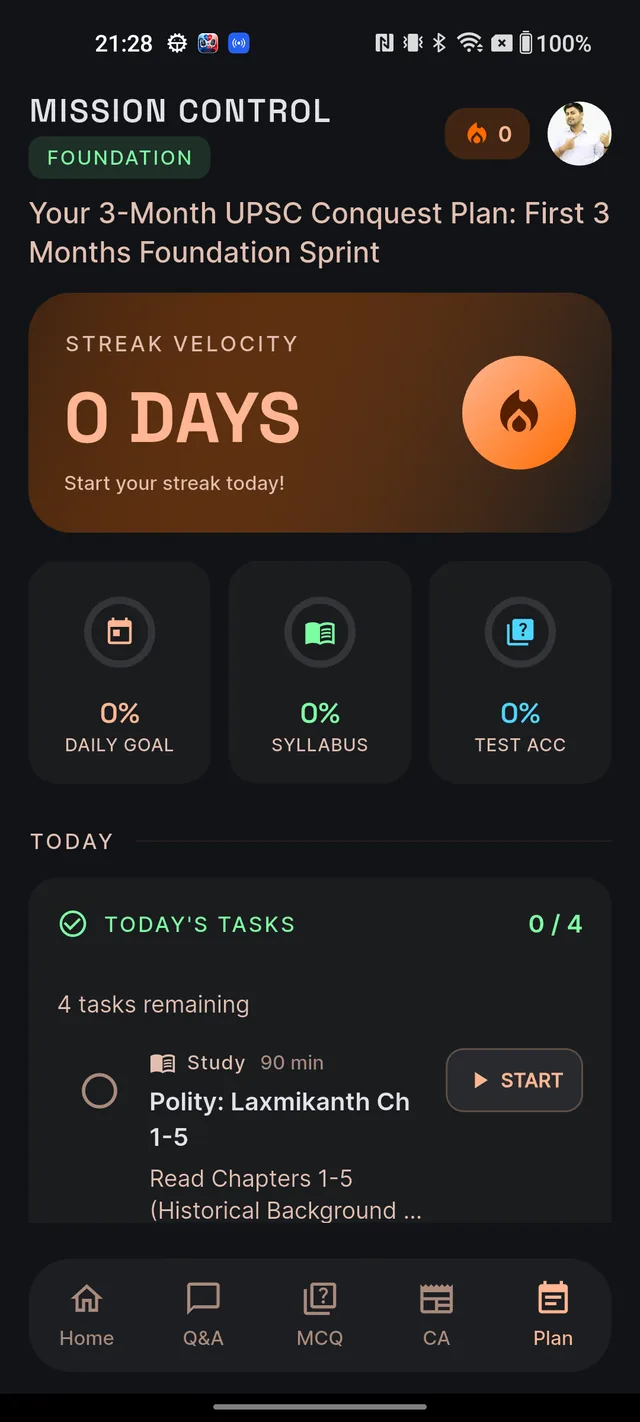
The Plan tab — headed MISSION CONTROL — is your stats home:
- A fire icon in the header with your current streak number.
- The STREAK VELOCITY card — your streak in big type (for example "12 DAYS") with "Keep the momentum going!" once it is running, or "Start your streak today!" when it is at zero.
- Three progress rings (explained below).
- The PLAN OVERVIEW card — Plan Duration in months and Total Tasks as completed/total (for example "37 / 412").
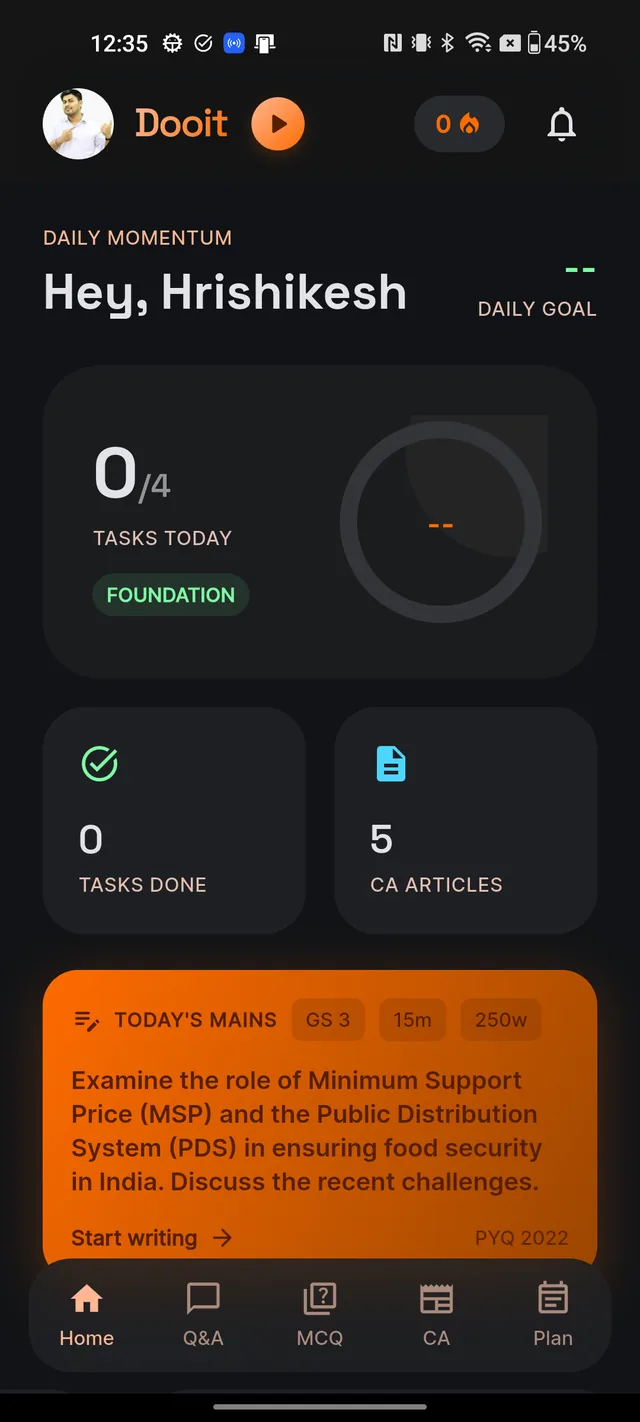
Home mirrors the essentials: the streak number in the header, a progress card labelled TASKS TODAY with today's done/total, and a TASKS DONE stat. Tapping the progress card opens the Plan tab.
The three rings, decoded
- DAILY GOAL — how much of today's task list you have completed. Resets each day.
- SYLLABUS — your overall plan completion, across every task in the plan so far.
- TEST ACC — reflects your accuracy in MCQ practice, so it moves as your quiz performance improves.
Every time you mark a task done, the today counter, DAILY GOAL ring, SYLLABUS ring, Total Tasks figure and the Home card all update immediately — no refresh needed.
What breaks a streak
One thing: a task day where you finish less than 80% of the tasks. Doing one task out of five does not protect you — the streak needs near-complete days, not a single tick.
Frequently asked questions
How much do I need to do to keep my streak?
Complete at least 80% of that day's tasks. On a 5-task day that means 4 done; on a 4-task day it means at least 4 of 4 in practice, since 3 of 4 is only 75%.
Where can I see my streak?
The fire icon at the top of the Plan tab and Home shows the number, and the STREAK VELOCITY card on the Plan tab shows it big — for example "12 DAYS".
Does doing just one task keep my streak alive?
Usually not. One of five tasks is 20%, well short of the 80% needed. Aim to clear almost the whole list.
What are the three rings on the Plan tab?
DAILY GOAL is today's completion, SYLLABUS is your overall plan completion, and TEST ACC reflects your accuracy in MCQ practice.
Do MCQ and revision tasks count toward the streak?
Yes. Every task on the day's list counts equally — the 80% is measured across all of them, whatever their type.
Didn’t find what you needed? We are a small team and we read every message.
Email supportBack to Help Center